Lenzic
How to Find Slow-Moving Frames and Turn Dead Stock into Sales (with Lenzi AI)
A frame is slow-moving when it has sat on your wall far longer than your average frame without selling. Lenzi can list those frames, preview a discount and draft a campaign.
Short answer: A frame is "slow-moving" when it has sat on your wall far longer than your average frame without selling. To clear it, (1) list frames with no sales in your chosen period, (2) group them by brand, style or price band, (3) apply a controlled % discount, and (4) promote them as a named campaign. In getlenzic, you can ask Lenzi, the built-in AI assistant, to do steps 1–3 in plain English, with a preview before any price changes.
Why dead-stock frames hurt an optical store
Every frame on the wall is cash you already spent. Frames that don't move:
- tie up money you could use for best-sellers and new collections,
- take display space from styles customers actually try on,
- go out of fashion, so they become harder to sell each season.
Most stores know they have "old stock", but not which frames, how many, or how much money is stuck in them. That is the first problem to fix.
Step 1: Define "slow-moving" for your store
Pick a simple rule you can repeat every month, for example:
- Slow-moving: no sale in the last 90 days.
- Dead stock: no sale in the last 180 days, or still in stock from a previous season.
Adjust the periods to your sales speed. A busy city store might use 60/120 days; a smaller store 120/240.
Step 2: Ask Lenzi to find them
Instead of exporting spreadsheets, ask Lenzi directly. Lenzi answers in English and works on your getlenzic inventory and sales data.
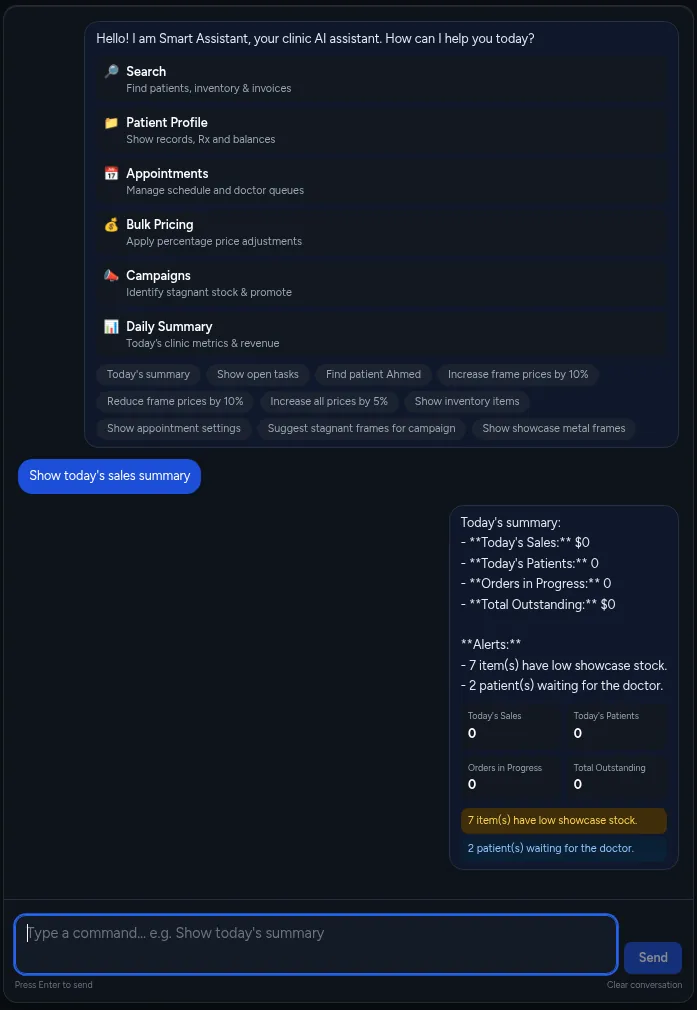
Example questions:
- "Which frames have had no sales in the last 90 days?"
- "Show slow-moving frames by brand, with quantity and stock value."
- "Which sunglasses are still in stock from last summer?"
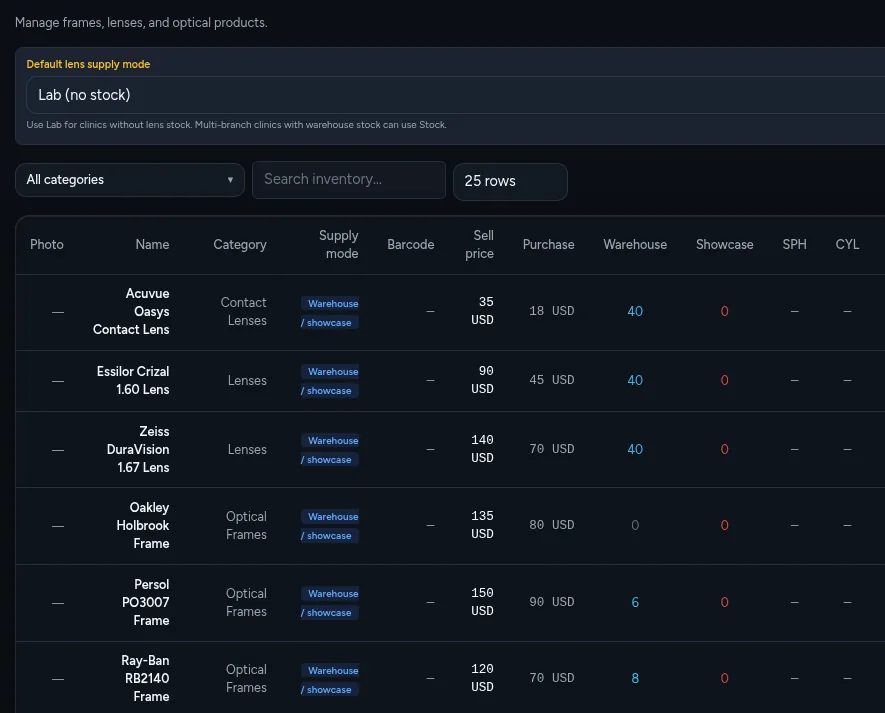
You can also use normal search and reports in getlenzic to check stock levels, sales and inventory value.
Step 3: Decide what to discount (and what not to)
Not every slow frame needs a discount. Sort them into three groups:
| Group | What it means | Action |
|---|---|---|
| Wrong place | Good frame, poor display position | Move it to eye level or the window first |
| Wrong price | Priced above similar frames | Small discount (10–15%) |
| Wrong season / style | Out of trend or off-season | Campaign discount (20–40%) or bundle with lenses |
Step 4: Change prices in bulk, safely
Changing prices one by one is slow and error-prone. In getlenzic you can ask Lenzi for a bulk % price change, for example:
Lenzi shows a preview of every affected item with the old and new price. Nothing changes until you confirm. If the list looks wrong, refine the request ("only brand X", "exclude sunglasses") and preview again.
Step 5: Build a dead-stock campaign
A discount alone is quiet. A named campaign gets attention. Ask Lenzi:
Lenzi suggests a campaign with a list of frames, a name idea and copy you can use on your window, social media or messages to customers. Good campaign ideas:
- "Last Pairs" wall: one display, one price band.
- Second pair offer: a slow frame at a lower price with any complete pair.
- Seasonal swap: off-season sunglasses for walk-ins in spring.
Step 6: Track results with the daily summary
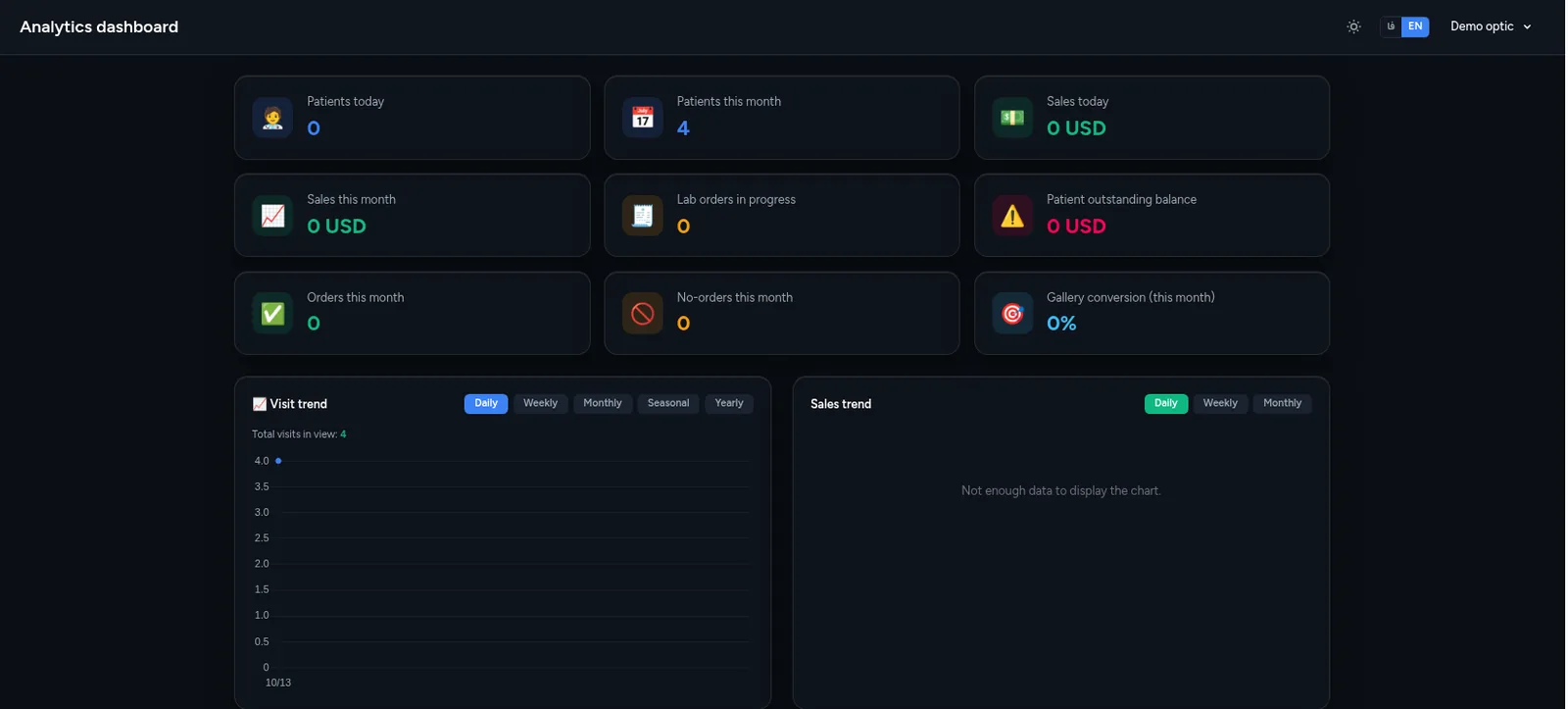
Each day, the daily summary shows how the store is doing, so you can see whether campaign frames are selling. After 2–4 weeks, ask Lenzi again: "Which campaign frames are still unsold?" and decide on a deeper discount or a return to the supplier.
A simple monthly routine (15 minutes)
- Ask Lenzi for frames with no sales in 90 and 180 days.
- Move the good ones to better display spots.
- Preview and confirm a bulk discount on the rest.
- Launch or refresh one campaign.
- Check the daily summary every morning.
Choosing software for this
If you are comparing tools, read our guide to the best optical store software and the getlenzic vs Optisoft comparison.
FAQ
What is a slow-moving frame?
A frame that has not sold for much longer than your average frame, for example no sale in 90 days. Pick a rule that fits your store and use it every month.
How do I find dead-stock frames quickly?
Ask Lenzi, the AI assistant in getlenzic, something like "Which frames have had no sales in the last 180 days?" and it lists them from your inventory and sales data.
Can Lenzi change prices without my approval?
No. A bulk % price change always shows a preview with old and new prices, and nothing changes until you confirm.
How much should I discount old frames?
Usually 10–15% for frames that are just overpriced, and 20–40% for off-season or out-of-trend styles. Try a better display position first.
Does Lenzi work in English?
Yes. In getlenzic, Lenzi understands and answers in English.
Want to see it on your own stock?
Message us on WhatsApp and we will show you how Lenzi finds slow-moving frames: Chat on WhatsApp
Written by Alireza Eynollahi, Founder of Lenzic, optical store management software.