Lenzic
Optical Clinic Software vs. Accounting Tools: Buyer's Guide
How to choose optometry clinic software vs eyewear accounting, what criteria matter, and why setup plus annual renewal works well.
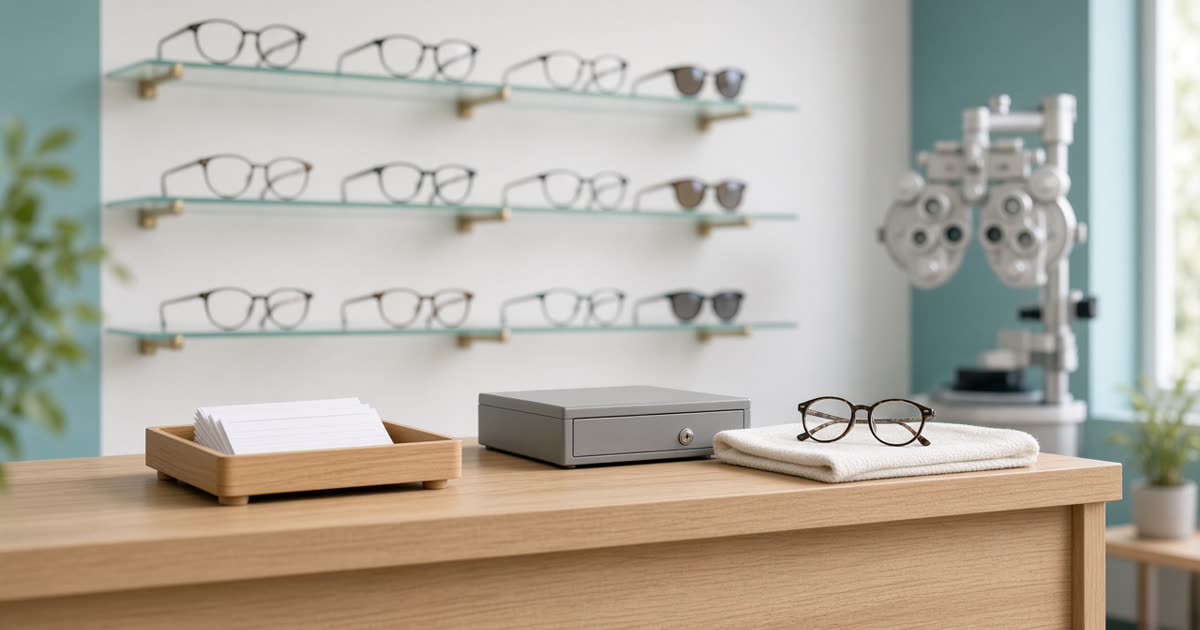
Choosing optometry clinic management software is no longer a pure IT decision. It is a commercial decision that affects reception speed, prescription accuracy, optical sales, and financial clarity. In many markets, clinics still juggle eyewear accounting tools, generic medical systems, and spreadsheets. The result is duplicate work, conversion errors, crowded queues, and reports that never drive real decisions.
How clinic software differs from eyewear accounting
Eyewear accounting usually focuses on products, invoices, stock, and finance. That layer is necessary but not enough. An optometry clinic needs a patient journey: appointments, check-in, doctor queue, exam recording, final prescription, lens or contact-lens order, gallery fulfillment, and settlement. If that journey is fragmented, every handoff becomes an error point.
Purpose-built platforms such as Lenzic are designed for that chain. From the moment a patient arrives at reception until the sales invoice is closed, one shared record remains. For clinics that both examine and sell, this integration is a real competitive advantage.
Accounting for optical clinics: do you need separate accounting software?
Usually not as a second daily system. The day-to-day money trail of an optical clinic (invoices, frame and lens stock, supplier balances, patient balances and the daily cash close) is cleaner inside the same software that holds the exam and the order, because every sale stays tied to a prescription. What normally stays with your accountant is the statutory layer: tax filings, payroll and the formal general ledger. Clinic software should hand that layer clean numbers, not replace it.
What the clinic side should track every day:
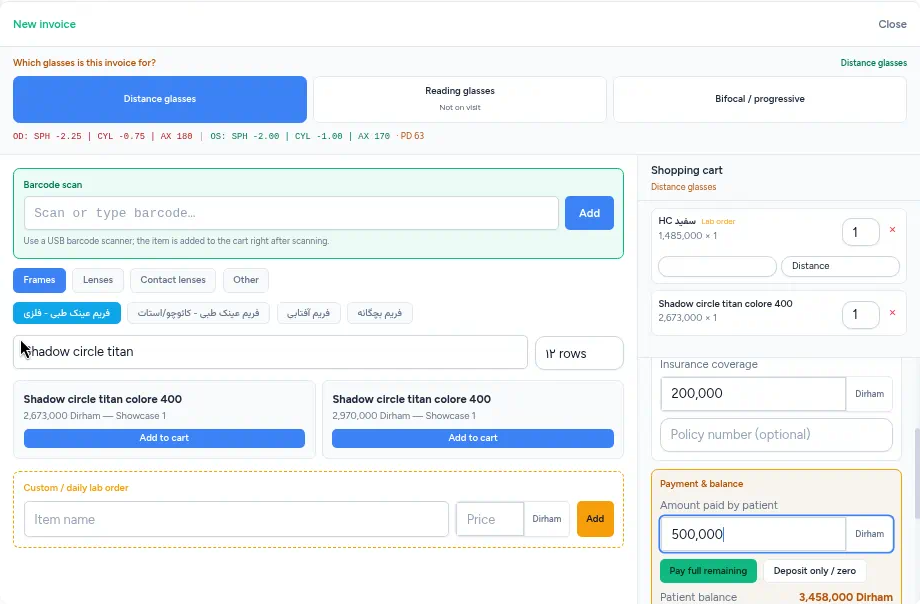
- Sales invoices, each tied to the patient and the order
- Frame, lens and contact-lens stock levels (see optical frame inventory management)
- Purchases and supplier balances
- Patient balances and insurance
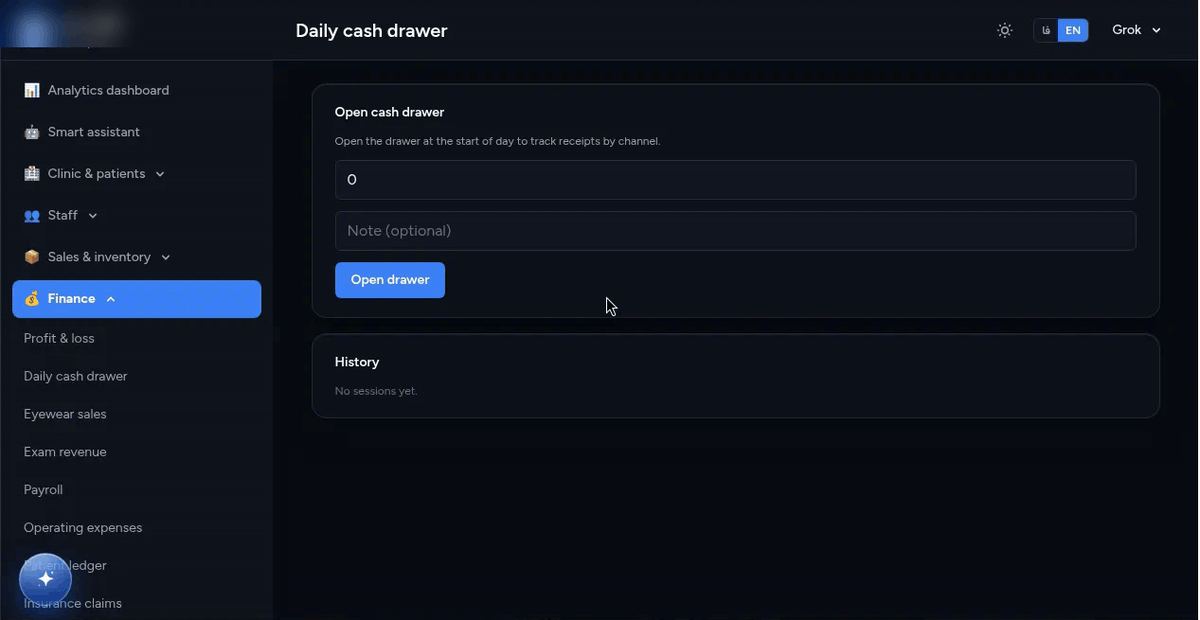
- A daily cash-drawer close that matches the day's invoices
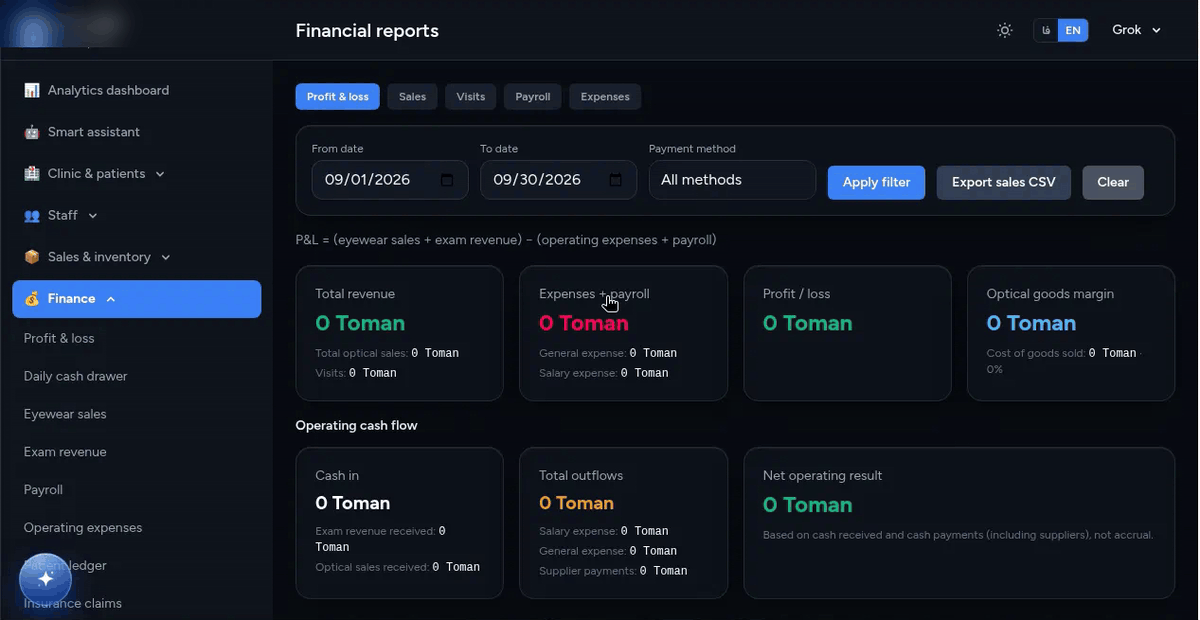
- Finance reports a manager can read without exporting to a spreadsheet
In Lenzic, invoices, showcase and purchasing, inventory with separate warehouse and showcase quantities, a daily cash drawer, suppliers, expenses and payroll records, finance reports (profit and loss, sales, visits), and the patient ledger with insurance sit in the same cloud record as reception and the exam (Standard and Professional plans; see plans).
Selection criteria for clinics and galleries
First, role coverage. Reception must register patients quickly and place them in queue. Doctors must record prescriptions accurately with clinical cues. Sales must build orders without rewriting powers. Managers need inventory, patient balances, supplier payables, and daily performance in one place.
Second, optometry logic—not only generic forms. Vertex conversion, distance and near workflows, stock lens grouping, and lab order paths should live inside the product. Third, cloud deployment: multi-device access, backups, continuous updates, and secure user sessions.
Fourth, transparent pricing. A one-time setup fee plus annual renewal is often clearer than opaque monthly packages, because owners feel they purchased the system and then pay for hosting, updates, and support.
Common buying mistakes
Comparing only on upfront price is the first trap. Cheap software that mishandles prescriptions creates hidden costs in training, remakes, and patient dissatisfaction. The second mistake is buying a generic medical system without optical modules. The third is ignoring onboarding; even excellent software fails without proper setup.
A practical economics view
Software cost should stay sensible relative to clinic and gallery revenue. If the system prevents a few lens remakes each month or shortens reception time, payback is often faster than expected. Annual renewal should clearly cover updates, support, and infrastructure stability.
Pre-purchase checklist
Ask whether the patient path from appointment to invoice works without spreadsheets; whether reception, doctor, sales, and admin roles are separated securely; whether inventory and patient debt reports are live; whether custom access offers exist; and whether setup plus yearly renewal prices are transparent.
Why Lenzic was built for this gap
Lenzic focuses on clinic and eyewear gallery operations in one cloud. Reception builds the queue, doctors record exams and prescriptions, sales closes orders and invoices, and management sees finance and inventory. Pricing follows a one-time setup plus annual renewal model so ownership and ongoing service stay clear.
If you are deciding now, request a live demo with your own clinic flow: one appointment, one exam, one lens order, and one settlement. That single end-to-end path usually clarifies the decision better than feature comparison sheets.
Pricing models in real markets
Three patterns dominate. Offline perpetual licenses feel familiar in eyewear accounting but limit updates and multi-branch access. Pure monthly cloud subscriptions spread cost but can feel like endless renting. Lenzic uses one-time setup plus annual renewal so owners purchase the system and then pay for hosting, security, updates, and support.
This structure also helps negotiation. Clinics often have capital budget for setup and operating budget for renewal. Separating those numbers makes custom offers clearer, such as a setup discount or complimentary renewal months.
Security and role-based access
Patient charts, prescriptions, and money data are sensitive. Reception, doctor, sales, and admin roles must be separated. Session control, clinic suspension, and user caps become critical when you operate more than one site. Shared single logins weaken both security and accountability.
Reports managers actually use
Pretty dashboards are not enough. Managers need live answers: how many patients checked in, how many exams finished, how many prescriptions converted to orders, which SKUs are low, and how large patient or supplier balances are. Generic invoicing tools rarely deliver this decision layer.
A practical 30-day rollout
Week one: services, users, and reception training. Week two: doctor exam and prescription entry. Week three: sales plus inventory with real orders. Week four: reports and a feedback session. This pacing prevents “everything at once” project failure.
Final takeaway
If you run a clinic and gallery, buy software that unifies the patient path, understands optical logic, protects roles, and states setup plus renewal clearly. Lenzic is built for that job. Request a live demo and judge vendors by one complete real workflow, not by brochure feature counts.
Buyer FAQs
Do you need every module on day one?
No. Start with reception, exam, and sales, then enable advanced reports.
Can legacy data be imported?
Often yes for patients and opening stock, depending on source quality.
Is it fit for multiple branches?
Yes when the product is cloud and role-based, with clear access and renewal per clinic.
What should accounting for an optical clinic cover?
Sales invoices, frame, lens and contact-lens stock levels, purchases and supplier balances, patient balances and insurance, and a daily cash close that matches the invoices. Tax filing and payroll usually stay with your accountant.
Closing
The best software is the one your team actually uses every day. If the UI is heavy or optical logic is weak, people return to spreadsheets. In demos, skip slides and run one fictional patient from appointment to invoice while measuring time and mistakes. That simple test usually reveals the real winner.
If you are comparing vendors, review Lenzic plans or request a demo from the contact page. Related: From doctor RX to gallery invoice.