Lenzic
Optical frame inventory management: what to track
What optical frame inventory software should record per frame, lens and contact lens, which stock movements matter, spreadsheet vs software, and what to verify in a demo.
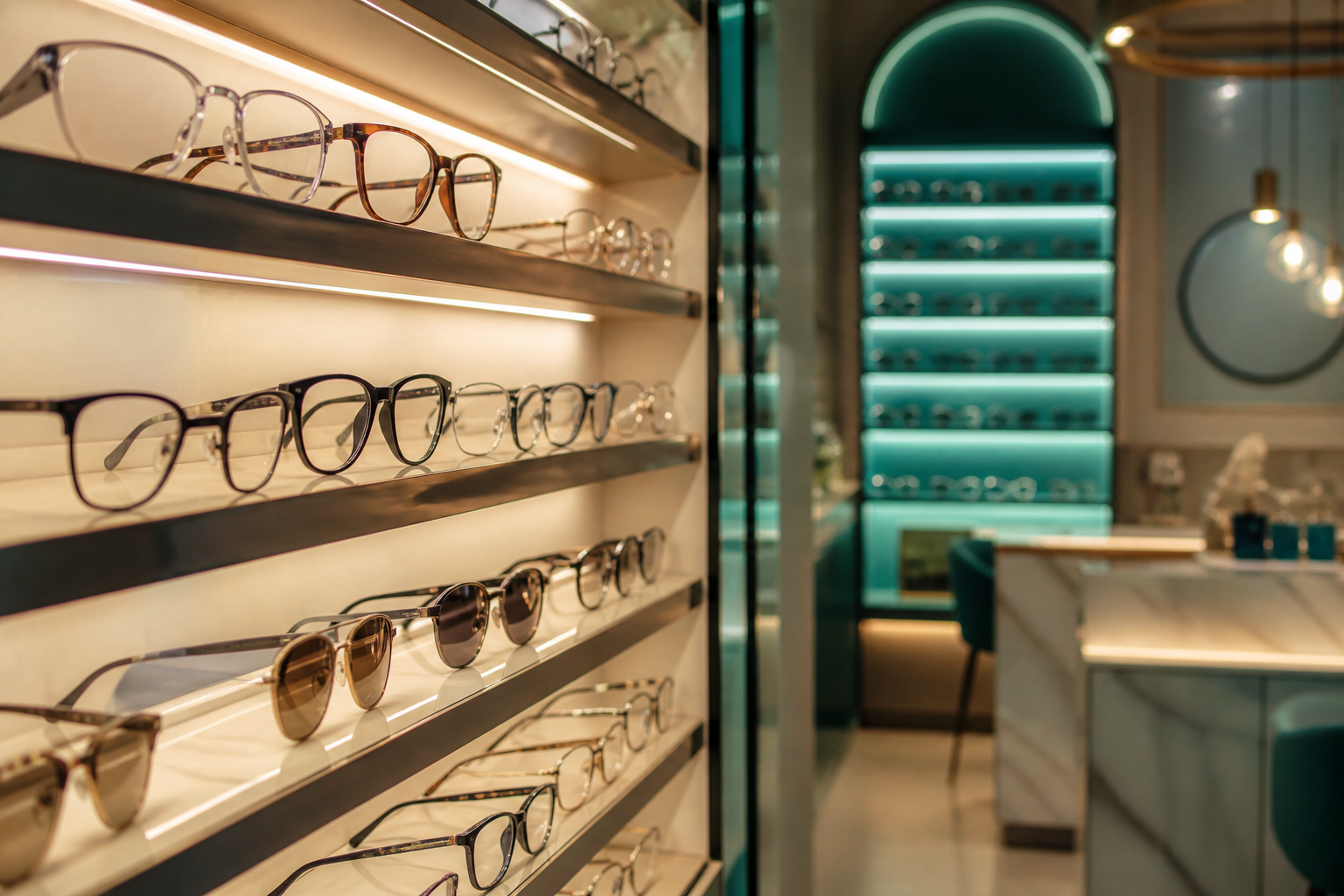
Short answer: Optical frame inventory management means tracking every frame as its own model–color–size item, knowing whether it's on display, in a drawer, reserved for a patient or at the lab, and linking each movement to a purchase, sale or Rx order. Good software also shows cost, age and turnover, so reorders come from data, not memory.
Frames look like ordinary retail stock until you try to count them. The same model comes in several colors and sizes. Some pieces sit on the board while their twins wait in a drawer. A frame can be "sold" while it's still at the lab having lenses cut for it. When the counts drift, the cost shows up as a patient told "we have it" when you don't, a supplier reorder based on a guess, and a frame that has sat on the board for more than a year without anyone noticing.
This guide is for owners and managers of optical shops, eyewear galleries and optometry clinics with a dispensary. It covers what your software should record for each frame, which movements matter, where spreadsheets break, and what to check in a demo.
Why frame inventory is harder than ordinary retail stock
Three things make optical stock different. The first is the variant matrix. A single frame model multiplies across colors and sizes, and each combination is its own sellable item. If your system stores "Model X, 4 pcs" without color and size, you can't answer the most common question at the counter: "Do you have this in a 54?"
The second is that frames are tied to prescriptions. In a clinic with a gallery, a frame is often chosen right after the exam and then waits while lenses are ordered and cut. For days it is neither on the shelf nor delivered. Your inventory has to show that in-between state, or your counts will look wrong every week.
The third is that lenses mostly aren't stock at all. Many spectacle lenses are made to order for a specific Rx, while others (common single-vision powers, for example) may be kept in stock. Contact lenses behave more like pharmacy stock, with parameters and expiry dates. Mixing these three rhythms in one undifferentiated list is where most spreadsheets fall apart. We cover the clinical side of that handoff in From doctor Rx to gallery invoice.
What to track for each frame
A reliable record for one frame variant needs these fields:
| Field | Why it matters |
|---|---|
| Brand and model | The parent item; reports roll up here |
| Color code | Patients ask for colors; suppliers reorder by code |
| Size (eye–bridge–temple, e.g. 52-18-140) | Fit questions at the counter; stops wrong-size sales |
| Supplier | Reorders, returns and payables go to the right place |
| Purchase cost | Stock value and real margin per sale |
| Retail price | Consistent invoicing across staff |
| Status or location | On display (showcase), back stock, reserved for an order, at the lab, sold, returned |
| Date received | Age of stock; shows what isn't moving |
| Quantity per variant | The count you actually trust |
If you take frames on consignment, keep them clearly separate from owned stock, because they don't belong in your stock value.
Lenses and contact lenses need different rules
For spectacle lenses, separate the stock lenses you really keep on hand, grouped by type and power range, from lab jobs made for a specific patient. A lab job isn't inventory. It is an order with a status: ordered, in production, received, fitted, delivered. Tracking it as an order tied to the patient and Rx is what prevents the "where are my glasses?" phone call from turning into a search.
Contact lenses need their own fields: brand, replacement schedule, base curve, diameter, power (plus cylinder and axis for torics), box quantity and expiry. Counting boxes without parameters tells you almost nothing.
Movements matter more than counts
A count is a snapshot. Movements explain why that snapshot is right or wrong. The ones worth recording are:
- Receiving against a supplier purchase, so cost and quantity enter together
- Sale deduction when the invoice is issued, not when someone remembers
- Reservation when a frame is chosen for an Rx order but not yet delivered
- Lab out and back for frames sent away for lens fitting
- Supplier returns and exchanges
- Adjustments with a reason (damaged, lost, found), so a stock count leaves a trail rather than silently overwriting numbers
When every movement belongs to a document (a purchase, an invoice, an order), month-end stops being detective work.

Spreadsheet vs optical software
| Question | Spreadsheet | What good optical inventory software should do |
|---|---|---|
| Color and size per model | Possible, but breaks as rows multiply | Built into the item structure |
| Stock drops when you sell | Only if someone updates it | Tied to the invoice |
| Frame reserved for a patient | Usually a comment or a color | A status linked to the order and Rx |
| Lab job status | A separate list or chat | Tracked on the patient's order |
| Cost and margin per sale | Manual formulas | From purchase cost and invoice |
| Several staff at once | Version conflicts | One shared record |
| Audit trail | Rarely | Movements with dates and users |
A spreadsheet is a reasonable start for a very small shop with one person doing all the selling. Once reception, the optometrist and the sales counter all touch the same patient, the spreadsheet becomes the place where the truth goes to disagree with itself.
Reports worth reading every week
You don't need fifty reports. You need a few that prompt decisions:
- Stock value at cost, so you know how much cash sits on the boards
- Aging: frames by days since receipt, which tells you what to reposition, return or mark down
- Sell-through by brand and supplier, so reorders follow what actually sold
- Open orders and lab jobs: what's reserved, what's late
- Supplier balances, so purchasing and payables stay in the same picture
For the money side of this, from invoices and the cash drawer to what stays with your accountant, see the optical clinic software buyer's guide.
What to verify in a demo
Bring one real scenario and ask the vendor to run it live:
- Receive two frames of the same model in different colors from a supplier.
- Sell one of them against a patient's Rx.
- Reserve the other for an order that goes to the lab.
- Now ask to see the stock value, the reserved item, the lab job's status and the supplier balance.
If any step is "described" instead of shown, note it. Our optical clinic software checklist has the wider list of criteria, and why one cloud system beats two explains why the appointments tile and the stock tile should live in one dashboard.
Where Lenzic fits, and what to ask us to show
Lenzic is cloud software for optometry clinics and eyewear galleries. It is not an eyewear store. On getlenzic.com we state these capabilities:
- Invoices, showcase and purchasing in one view
- Inventory and cash drawer
- Purchasing, suppliers and finance reports
- A seller view that can search the patient and see the Rx and notes
- Lab tracking
- A patient ledger with insurance and archives
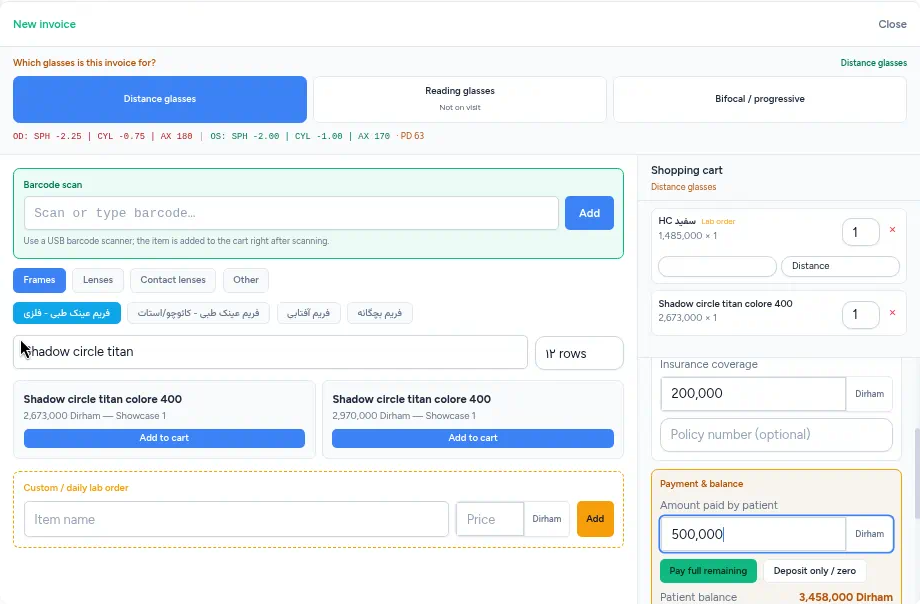
On the Professional plan, a smart lens filter and lens power conversion are added.
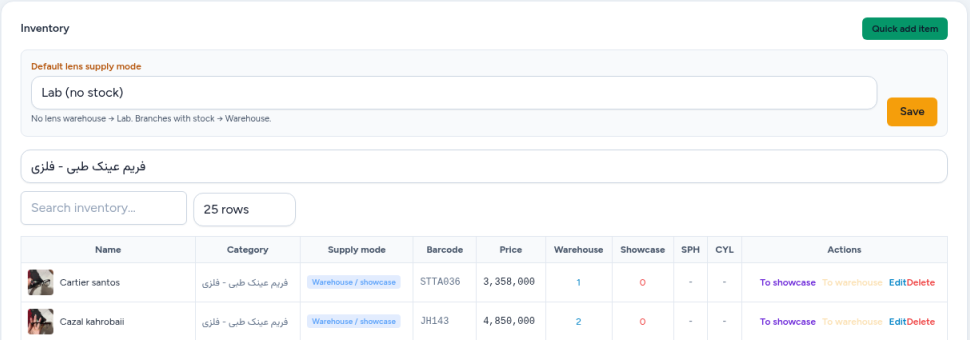
Be clear about the frame record, too. Lenzic's inventory list shows each item's price and its warehouse and showcase quantities. It does not have separate columns for color, size, supplier or cost price, so the field table above is general advice for any system, not a description of our screen. Some things commonly listed by inventory-focused vendors are not stated on our site: automatic reorder alerts per variant, branch-to-branch transfers, consignment tracking and dedicated stock-count tools. Don't assume them. Ask us to show your scenario live, and judge by what you see.
Frequently asked questions
What is optical frame inventory management?
It is tracking every frame by brand, model, color and size, together with its supplier, cost, status and age, and linking each movement (purchase, sale, reservation, lab trip, return) to a document. The goal is counts you can trust and reorders based on what actually sells.
Can I manage frame inventory in a spreadsheet?
For a very small shop with one seller, yes, for a while. It breaks when several staff sell at once, when frames are reserved for Rx orders or away at the lab, and when you need cost, margin and aging without hand-built formulas.
What should optical inventory software report?
At minimum: stock value at cost, aging by days since receipt, sell-through by brand and supplier, open orders and lab jobs, and supplier balances. Those five cover most weekly purchasing and pricing decisions.
Should spectacle lenses and contact lenses be tracked like frames?
Not in the same way. Stock spectacle lenses are grouped by type and power range, and made-to-order lenses are lab jobs with a status, not inventory. Contact lenses need parameters such as base curve, diameter, power and expiry.
Does Lenzic handle frame inventory?
Lenzic includes inventory with separate warehouse and showcase quantities, a cash drawer, purchasing, suppliers and finance reports, and lab tracking, alongside the patient's Rx. Its frame list has no separate color, size, supplier or cost-price columns, and features such as branch transfers are not stated on getlenzic.com, so ask to see your own scenario in a live demo.
Bottom line
Good frame inventory isn't about counting harder. It's about recording each variant properly and tying every movement to a purchase, a sale or an order. If you run a clinic with a gallery, make sure stock sits in the same record as the Rx and the lab job. If you want to see that path with your own scenario, request a free demo and the Lenzic team will get in touch.