Lenzic
Optical clinic + eyewear gallery in one cloud: why one system beats two
Run an optical clinic and eyewear gallery in one cloud—see booking and inventory tiles in a live demo, then request yours.
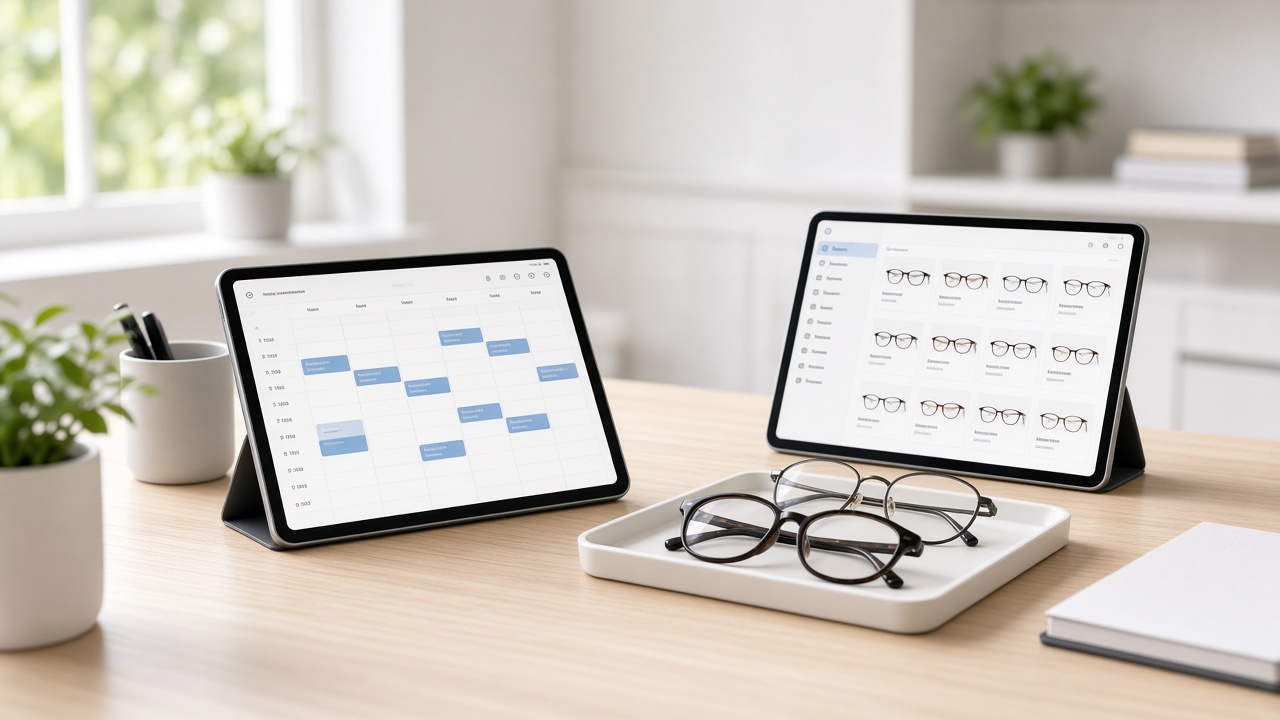
Many practices still run two worlds: one tool for appointments and exams, another for frames, stock, and invoices. The cost shows up as re-entered prescriptions, inventory that does not match the sale, and reports that never tell one story. This article is for clinic owners and practice managers — not retail shoppers — and is meant to help you decide what to verify before a demo.
Ready to book? Start from getlenzic.com and request a free demo.
For the broader checklist pillar, read: Best optical clinic software checklist. Related: Buyer’s guide.
What two systems actually cost you
When reception books in one product and sales invoices in another, three frictions are common:
- Prescription and sale disconnect: Rx data is copied into chat, spreadsheets, or a second login.
- Inventory is never “live”: the gallery does not know what is reserved against an Rx; the clinic does not know what is on the shelf.
- Reporting splits: attendance lives in one place, revenue in another — decisions get slower.
Optical accounting software may cover stock well; a doctor-first EMR may cover exams well. If you run clinic + gallery together, the buying category is usually one reception-to-sale flow — not two products glued with exports.
What “cloud” means for multi-role teams
Cloud is not a slogan. For a multi-seat practice it usually means:
- Reception, optometrist/physician, and sales can work on the same patient record at the same time
- Updates and backups are not trapped on one local PC
- Role-based access can limit what sales sees versus what clinical staff needs
Cloud is not automatically better if your internet is unreliable — ask for the offline / outage scenario in the demo. For multi-station clinic+gallery teams, cloud typically removes install and hardware-lock friction. Lenzic is a cloud product; validate details in a live session, not from slides alone.
Two tiles to demand in the demo: appointments + gallery stock
Before you sign, ask to see both live — not described:
- Clinic appointments tile: booking, attendance status, path into reception
Attendance status should not open the full chart early—mark Patient chart opens at check-in in the same demo.
For the WhatsApp-to-online path behind that appointments tile, see optometry clinic appointments from WhatsApp to online.
- Gallery / inventory tile: frames or lenses tied to the sale, stock decrement after invoice
What that inventory tile should hold, field by field, is covered in Optical frame inventory management.
Then ask for those two to merge in one dashboard. If they only nail one tile, you have not yet seen “clinic + gallery as one system.”
Request a free demo — bring the buyer’s-guide checklist and add these two tiles.
From reception to invoice
The operational path to watch once in the demo:
For the station-by-station walkthrough of that day, see From reception to exam to invoice.
- Reception: patient arrives or has a booking; attendance status is clear
- Exam / Rx: prescription data stays in the same system
- Gallery sale: frame/lens choice against real stock
- Invoice: sale tied to the same patient identity
Product distinction (verify live): an appointment can be reserved ahead of time, but the full chart opens at check-in — not as a half-built file before the patient arrives. That separation keeps a busy front desk from spawning incomplete charts.
If the vendor only lists features and never walks reception → invoice live, you still have not validated the flow. Deeper workflow pieces land later in the EN cluster (supporting posts — TBD).
The common mistake: “integration” that is still two products
An API between accounting and booking is not the same as one flow. If reception cannot see whether a chosen frame is in stock, or sales must retype the Rx, you still have two systems — with an invisible cable.
Write these questions before the demo:
- Does the patient keep one ID from booking through invoice?
- Does gallery stock decrement on the same sale?
- Can daily attendance and sales land on one page?
If the honest answer is “we reconcile manually,” make them show that scenario live.
For booking chaos on WhatsApp vs online scheduling, see the companion semi (S2 EN — link after publish; slug lock `/blog/optometry-clinic-appointments-whatsapp-to-online`).
What this article will not claim
- List prices are not republished here; use the site plans / demo unless User later approves numbers.
- Universal POS is not claimed as an absolute; validate sales/gallery with your own scenario.
- “Best in the world” rankings without criteria are not used; your criteria are the checklist and the demo.
- Features that are only implied stay off the page — ask “show today or describe only?”
Next step: demo prep
- Note user count and roles in one line
- Decide today’s priority: exams vs gallery sales
- Mark the two tiles: appointments + inventory
- Ask for reception → invoice and “chart at check-in” live
- Reopen the checklist pillar for leftover questions
Then go to getlenzic.com and request a free demo. Contact: `/contact`.
(Assumption — confirm with site/Hassan:) follow-up timing after submit may be about one business day; treat the live site copy as source of truth.
Useful links: Home · Contact · Checklist
---
Bottom line: If you are both clinic and gallery, fighting a clinic-only or accounting-only product head-on is usually the wrong war. One cloud system where appointment and inventory tiles actually merge — plus a live reception-to-invoice path — then a demo, is the safer route.
---