Lenzic
Reception to exam to invoice: one clinic day flow
Reception → exam → gallery invoice as one clinic day flow—roles, no re-keying, and a demo checklist for optical practice software.
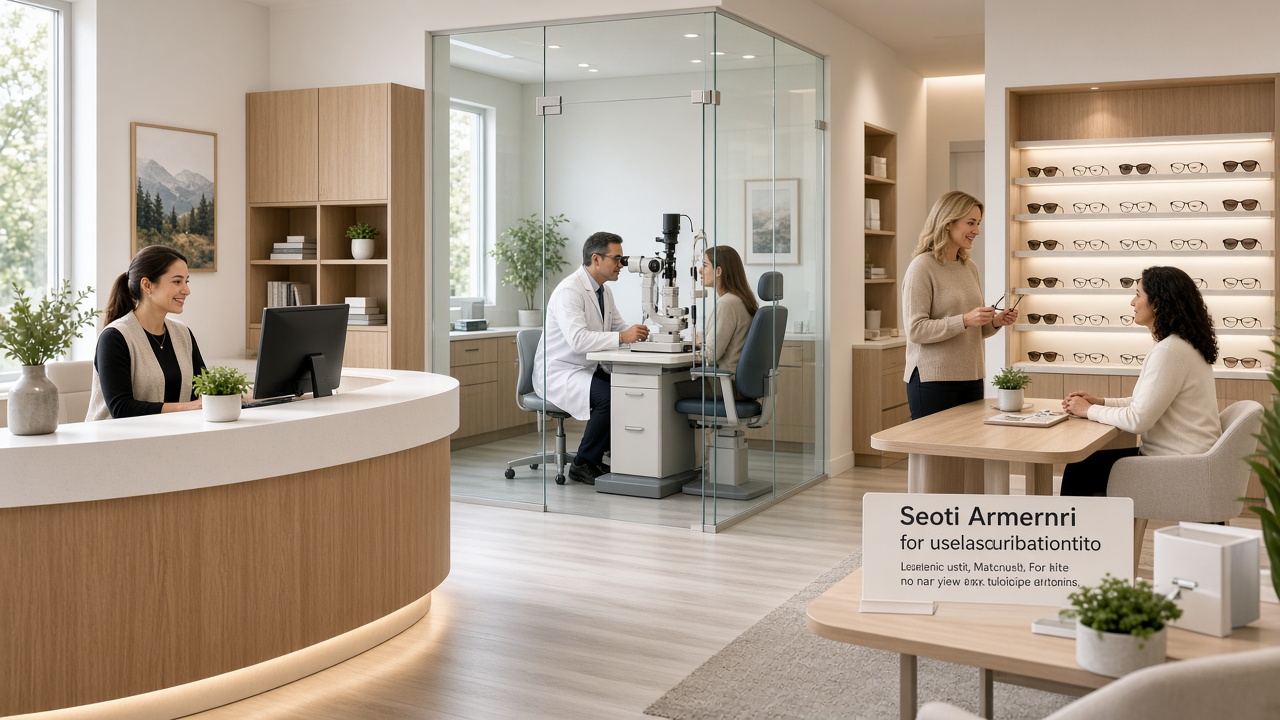
An optical clinic that also runs a gallery often breaks into three stations: front desk, exam room, sales counter. When each station keeps its own tool or notebook, prescriptions get retyped, stock is guessed, and end-of-day reports never tell one story about who came and what sold.
This article is for owners and operations leads. The angle is the full continuous day: reception → exam → gallery/invoice, with clear roles. It is not a rewrite of our existing prescription-to-invoice optical workflow—that post owns the Rx→gallery invoice angle; this one owns the day flow and who does what.
Request a demo: getlenzic.com.
Buyer’s checklist: Optical clinic software checklist.
Clinic + gallery one cloud: Cloud clinic + eyewear gallery.
Why “separate modules” still is not one flow
Foreign vendors commonly sell EHR, practice management, optical inventory, or POS as separate pages or modular packs. On paper everything is “integrated.” In a buying meeting you should still ask:
- Does the patient keep one ID from morning arrival through invoice?
- Is Rx data re-entered for sales?
- Can reception, clinician, and sales see the same day—with role-based limits?
If the honest answer is “we export” or “we reconcile in a spreadsheet,” you still have two or three products with glue. Differentiate with a check-in gate plus a role-aware day walkthrough you insist on seeing live—not a long feature list.
Map of one day: four stations
1) Reception
The patient is booked or walking in. Reception makes status obvious: reserved, present, cancelled, moved.
Locked product fact (verify in demo): appointments can be reserved ahead of time; the full chart does not open until check-in/presence. The deep dive on that gate is Patient chart opens at check-in; here it is only the starting line of the day.
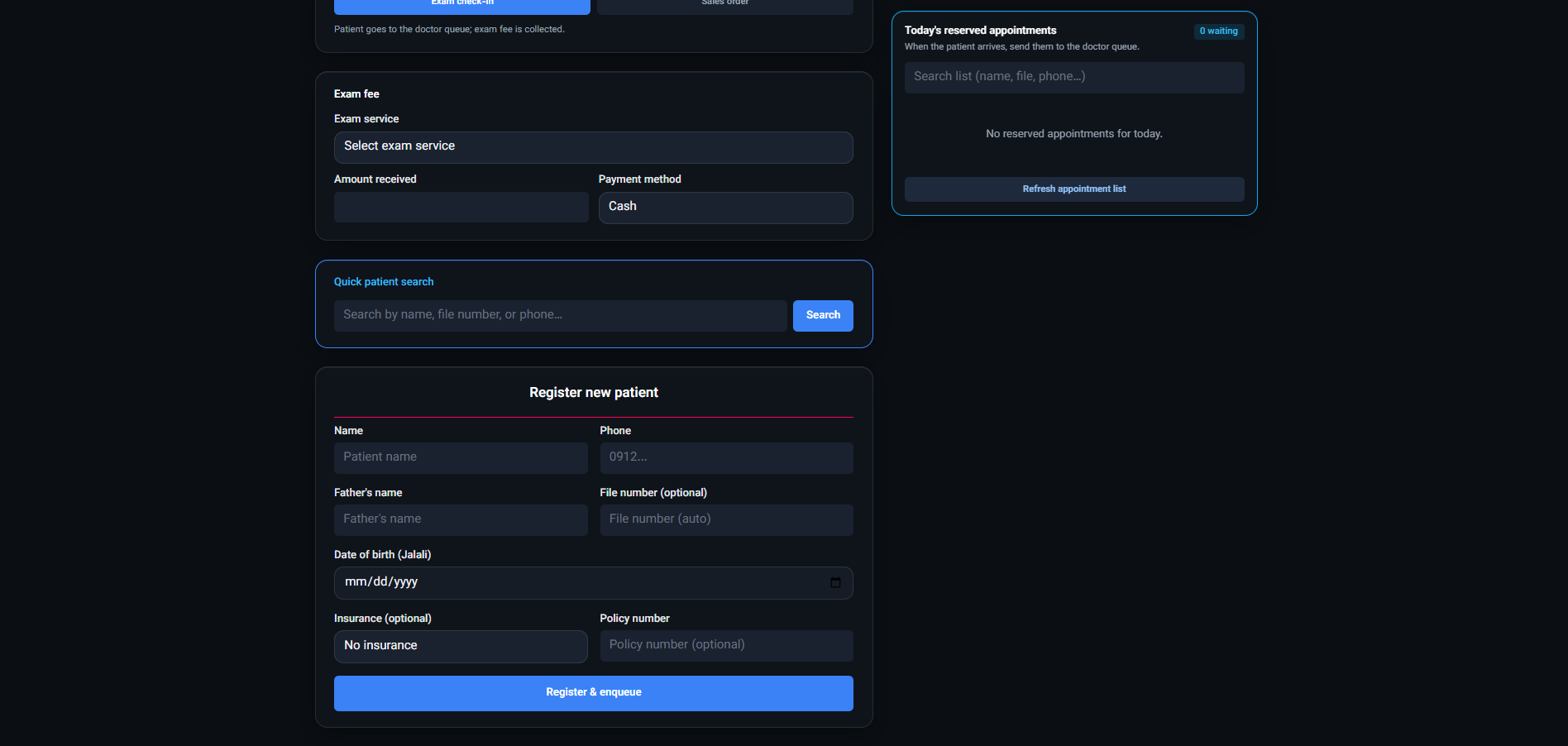
Reception should not open a full chart for every chat message. Their job: day queue, presence, handoff into exam.
2) Exam
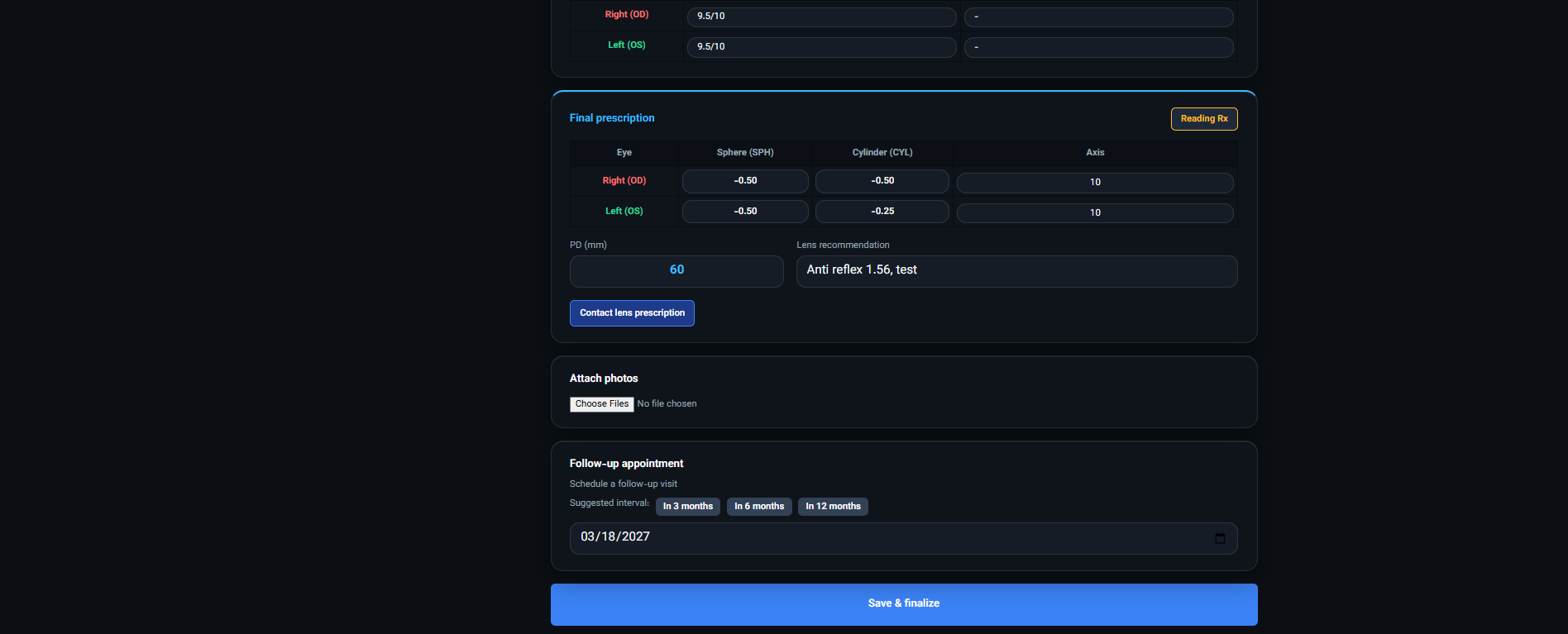
After presence, the chart is available for the clinical path. This article does not define medical protocol. The operational bar is simpler: exam/Rx data stays in the same system and is usable at the next station—without a copy into WhatsApp or a second binder.
In the demo ask: after Rx is entered, does sales see that data, or must someone retype it?
3) Gallery / selection
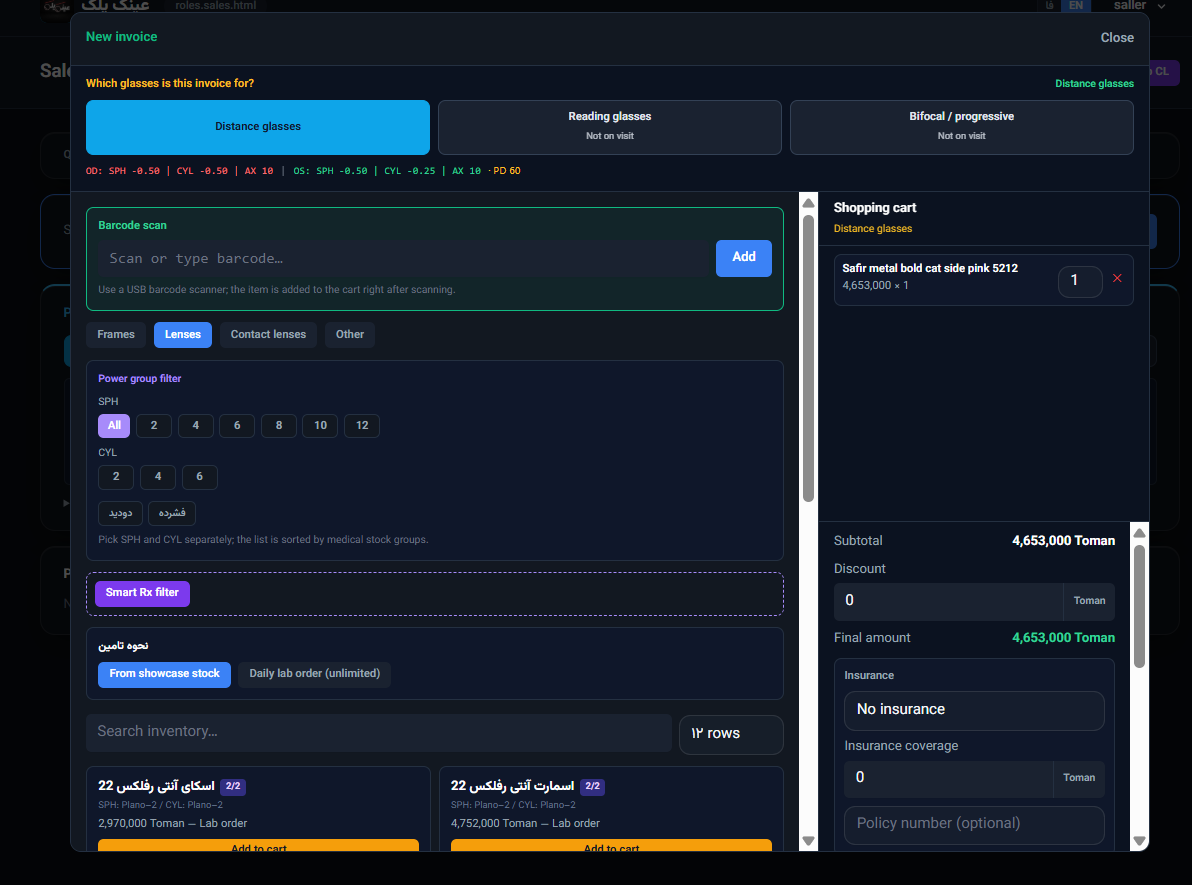
If you run a gallery, frame or lens selection should attach to the same patient and the same Rx. Validate stock with your scenario in the demo. We do not claim universal POS; we ask you to watch the gallery sale path live.
Conceptual bridge: the S1 post is about two tiles—appointments + inventory. Here those tiles run back-to-back in one day.
4) Invoice
The invoice ties to the same patient identity. Stock decrement (when shown) belongs to that sale. End-of-day reporting should be able to narrate attendance and sales together—not as two unrelated exports.
Again: this is not a duplicate of prescription-to-invoice. That piece zooms on Rx→gallery invoicing; this piece zooms on roles + the full reception-led day.
Roles: who sees what?
A coherent system does not blur roles:
- Reception: booking, presence, queue — usually does not need full clinical detail.
- Optometrist / clinician: exam, Rx, present queue — usually does not need sales stock configuration.
- Gallery sales: frames/lenses, invoice, stock — should not have unrestricted clinical editing.
In the demo, ask to see three roles with three users (or a safe impersonation). If everyone works as one admin account, you have not validated access boundaries—here it is only a flow criterion.
Where re-keying actually costs you
Every time an Rx moves from exam to sales “by hand,” three risks repeat:
- Parameter slip: a value or axis shifts; fixing it later is expensive.
- Lost context: reception notes or presence status never attach to the invoice.
- Split reporting: at month-end leadership still reconciles two files and still is not sure.
A single-system flow does not magically promise zero friction—but the demo must show whether handoff without re-keying is possible. If the vendor says “we train you to check in Excel,” log that as operational debt, not as integration.
Where competitors sell modules and you should buy a flow
Public messaging from many incumbents orbits documentation, claims, or retail omnichannel. An international buyer without a US payer stack does not make operational decisions from that story.
What to buy:
- A demoable path from front desk to invoice
- Presence as the gate before the full chart
- Clinic + gallery without Rx re-keying
- Separated roles without three products
What not to copy into lead copy: US insurance jargon, unscoped “best of” rankings, invented market-share numbers, or absolute “universal POS” claims.
Demo checklist for this article
Run the session in this order—not as a slide tour:
- Create an appointment (reception or patient link).
- Show that the full chart does not open before presence (verify).
- Check the patient in; chart available for exam.
- Enter a sample Rx (no clinical protocol claims).
- Move the same patient into gallery; ask whether Rx is re-keyed.
- Create an invoice; confirm patient ID and (if shown) stock.
- Sign in as sales; check that clinical access is appropriately limited.
If a step is “later in implementation,” mark it in your demo notes.
Request a free demo — write: “Walk reception → exam → invoice with roles.”
Cluster links and how posts differ
- Pillar: Optical clinic software checklist
- S1: Cloud clinic + eyewear gallery
- S2: WhatsApp to online booking
- F1: Chart opens at check-in
- QR / patient link booking: Clinic online booking with QR code
- Sibling (do not merge): Prescription to invoice
Plans: #plans · Contact: /contact.
What this article will not claim
- Subscription list prices without separate approval
- Universal POS as an absolute
- Zero no-shows or “100% filled days”
- Medical outcomes or replacing clinical judgment
- Magical integration with every accounting or insurer without a live demo
Your criterion is your scenario, shown live.
Bottom line
Do not buy optometry clinic software as a module checklist. Buy a simulated working day: reception clarifies status, check-in opens the full chart, exam keeps the data, gallery sells without re-keying, invoice sticks to the same patient.
Next step: free demo · #plans · /contact.
One line for your team: In the demo say “take one patient from the door to the invoice”—then ask about features.